Medium Content Archival System
Never Lose Valuable Articles Again
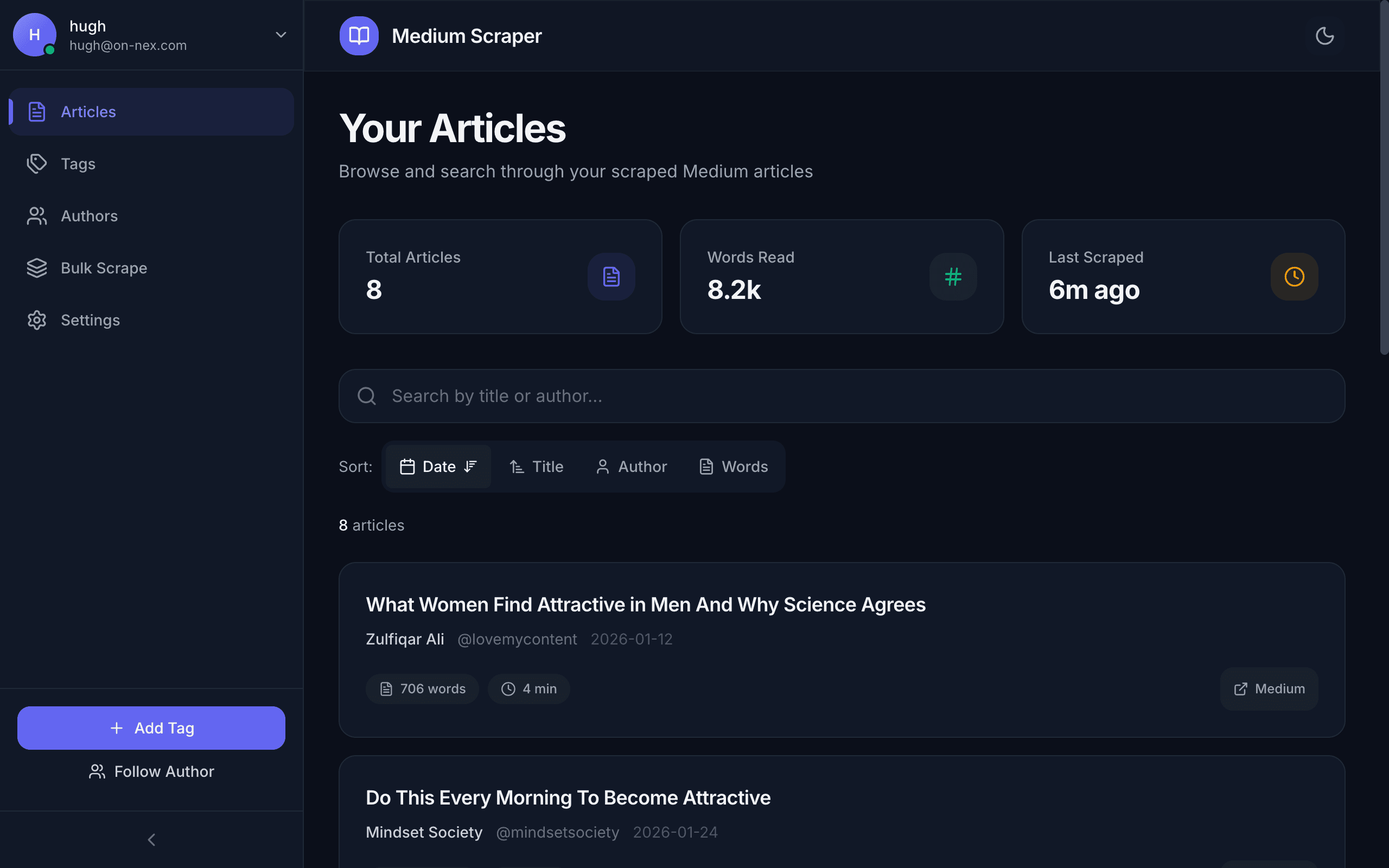
Multi-platform content archival system that scrapes Medium articles and saves them to Google Docs with full formatting preservation. One-click saving via browser extension, Telegram bot, or web dashboard.
The Challenge
The Problem
Valuable Medium articles frequently disappear behind paywalls, get deleted by authors, or become inaccessible. Manual copy-paste loses formatting, images, and metadata. Reading lists become cluttered with articles that can no longer be accessed.
Why Existing Solutions Failed
Browser bookmarks just save URLs that break when content moves or gets deleted. Pocket and similar services often fail to capture full formatting. Evernote web clipper strips important metadata. No existing tool preserves the original reading experience while making content searchable and organized.
Business Impact
Hours spent re-finding articles or discovering they no longer exist. Lost insights from valuable technical content. No centralized searchable library of saved knowledge. Inability to reference previously read material.
How It Works
From first interaction to final insights - here's the complete user journey
Find Article
Browse Medium and find an article worth saving
Click Extension
One-click popup shows article metadata instantly
Scrape Content
GraphQL API extracts full article with formatting
Convert Format
Transform to clean Markdown with images preserved
Cloud Storage
Save to Convex database and Google Docs
Celebrate
Confetti animation confirms successful save
Find Article
Browse Medium and find an article worth saving
Click Extension
One-click popup shows article metadata instantly
Scrape Content
GraphQL API extracts full article with formatting
Convert Format
Transform to clean Markdown with images preserved
Cloud Storage
Save to Convex database and Google Docs
Celebrate
Confetti animation confirms successful save
Find Article
Browse Medium and find an article worth saving
Click Extension
One-click popup shows article metadata instantly
Scrape Content
GraphQL API extracts full article with formatting
Convert Format
Transform to clean Markdown with images preserved
Cloud Storage
Save to Convex database and Google Docs
Celebrate
Confetti animation confirms successful save
Our Solution
Approach
Built a full-stack system with three access methods: Chrome extension for one-click saving while browsing, Telegram bot for sharing links on mobile, and web dashboard for library management. Uses Medium's GraphQL API for clean extraction with HTML fallback. Stores in Convex cloud database for search and syncs to Google Docs for offline access.
Workflow
User clicks extension or sends Telegram link → Server fetches article via GraphQL API → Cheerio parses HTML fallback if needed → Turndown converts to Markdown → Images uploaded to Google Drive → Article saved to Convex database → Google Doc created with full formatting → Confetti celebration in UI
Key Features
Technology Stack
Results & Impact
Before
Manual copy-paste losing formatting, bookmarks to URLs that break, scattered saves across multiple apps, no search capability, lost articles behind paywalls
After
One-click saving with full formatting, permanent cloud backup, searchable library, Google Docs for offline access, never lose an article again
ROI Impact
Personal knowledge management transformed. Every valuable article instantly archived with full formatting. Searchable library accessible from any device. Google Docs backup ensures content survives any platform changes. Time spent re-finding or recreating lost content reduced to zero.
Technical Details
Architecture Overview
Multi-platform architecture with three client interfaces (Chrome extension, Telegram bot, Next.js dashboard) connecting to a central Express.js API. Convex provides serverless database with real-time sync. Google APIs handle OAuth and Docs/Drive integration. Scraping uses Medium GraphQL API primarily with Cheerio HTML parsing as fallback.
Integrations
Security & Compliance
Technologies Used
Ready for Similar Results?
Let's discuss how we can transform your business with custom AI automation solutions.